Everything in the tool…
on one page.
The tool runs inside the EA web app you already trade from. Here you'll see every screen, with real screenshots from the tool itself.
Profit
The screens that make you coins.
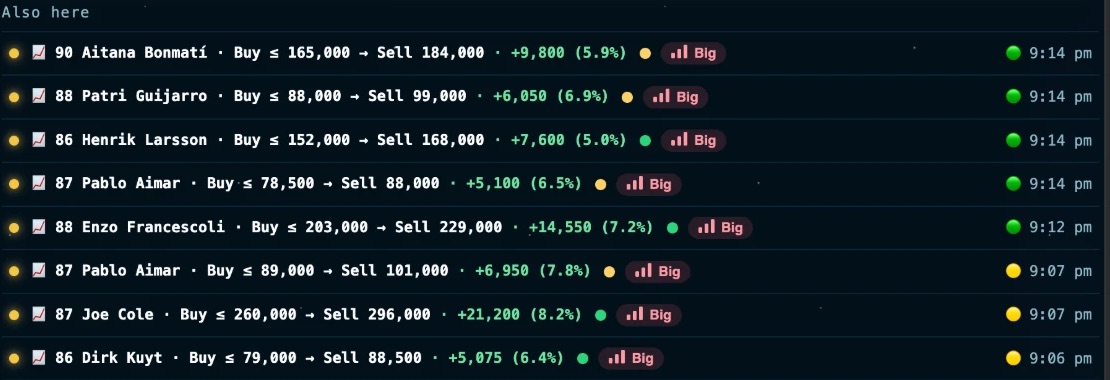
The tool tells you who to buy, for how much, and what to sell for
Every pick in front of you shows the buy price, the sell price and the profit after tax, and the call is yours.
- A 24-hour price chart for every card, so you see where it's heading.
- A confidence score on every deal.
- An alert when the market drops, so you buy carefully.
- And under the main pick «Also here»: the rest of the picks, sorted by profit.

Bidding Soon
We're still testing it in-house. It ships when it's ready.
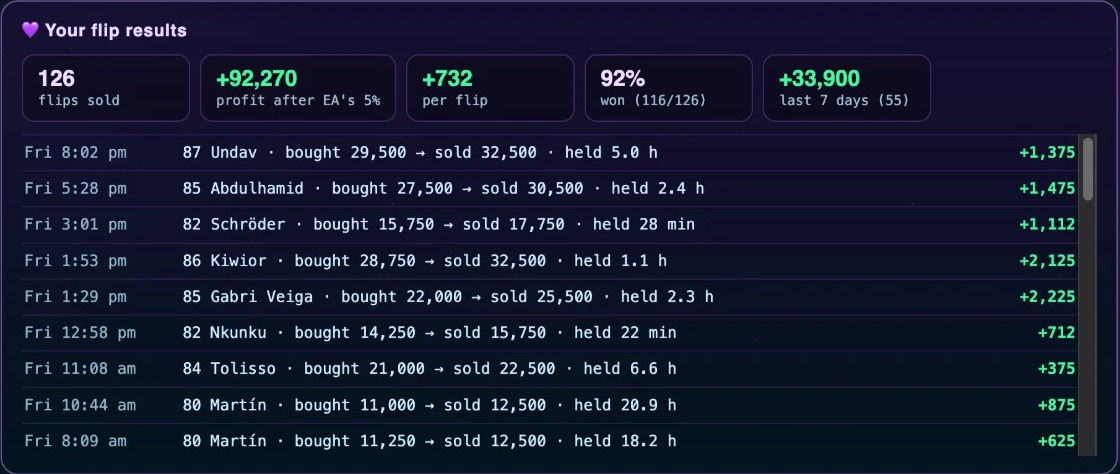
92% of flips made a profit
The tool tells you when to sell, and if the card is dropping it tells you to get out early before you lose more.
- Every flip is logged: what you bought for, what you sold for, and how long it took.
- Profit after EA tax, profit per flip, and the share of winning flips.
Card didn't sell? The tool handles it
Its time ran out on the Transfer List and nobody bought it? No guessing the new price, and no relisting it by hand.
- The yellow bulb: shows up on the unsold card and tells you what price and how long to relist it for. Tap it, and the tool asks you first, then relists it.
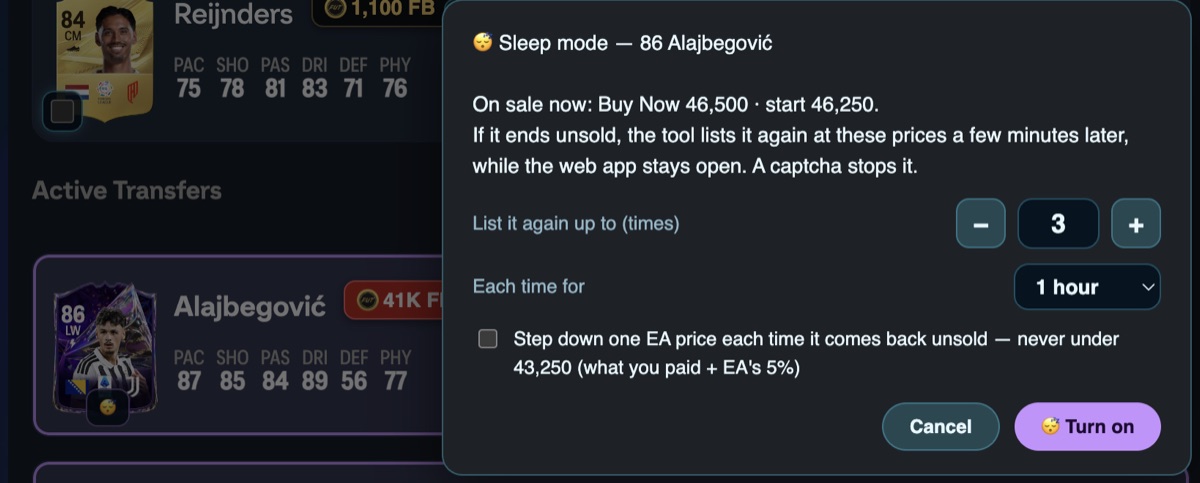
- Sleep mode: Choose how many times to relist, how long each time, and whether to step the price down. Leave the device on and go to sleep, and the tool relists it on its own.
- Never sells at a loss: Sleep mode never goes below your buy price plus EA tax.
- Like a human: it relists after a random wait each time, not on a fixed pattern.
The sniper searches for you and buys the moment a card drops below its price
Search searches once, and Run keeps searching. As soon as it finds a card cheaper than your rule, it buys it on the spot, then lists it for sale on its own or sends it where you chose.
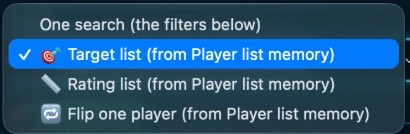
- Single search: a percentage below its price, below a price you set, or «buying it to keep».
- Player list: snipes the players on your list. (Auto-filling the list Soon)
- Rating list: for example every 84, it snipes the ones below their price and sells them at their price.
- Flip for one player.
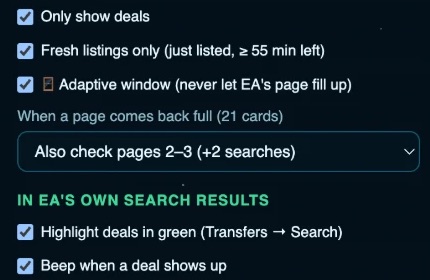
- shows you deals only, searches what was just listed, plus pages two and three, and lights the deal up green with a sound.
- Safety: set the wait, the daily max of searches, buys and coins, and a Esc button stops it instantly.
Hunt Soon
We're still testing it in-house. It ships when it's ready.
Tracking
Know what the market is doing without digging for it.
Your whole day at a glance
The first screen you open: everything you need to know today, in one place.
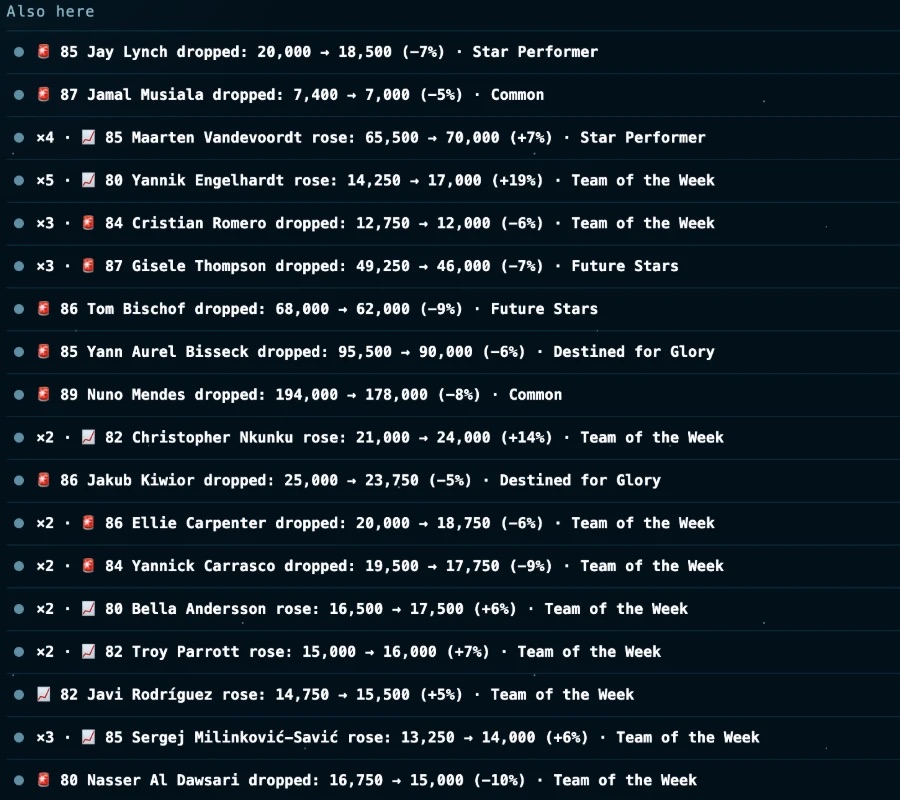
Every market move reaches you as it happens
- Prices: Old price, new price and the change, for every card you follow.
- Cheap now: A hint that a card got cheaper, so you take a look and decide.
- Desktop notification and sound, and you can mute any type for an hour.
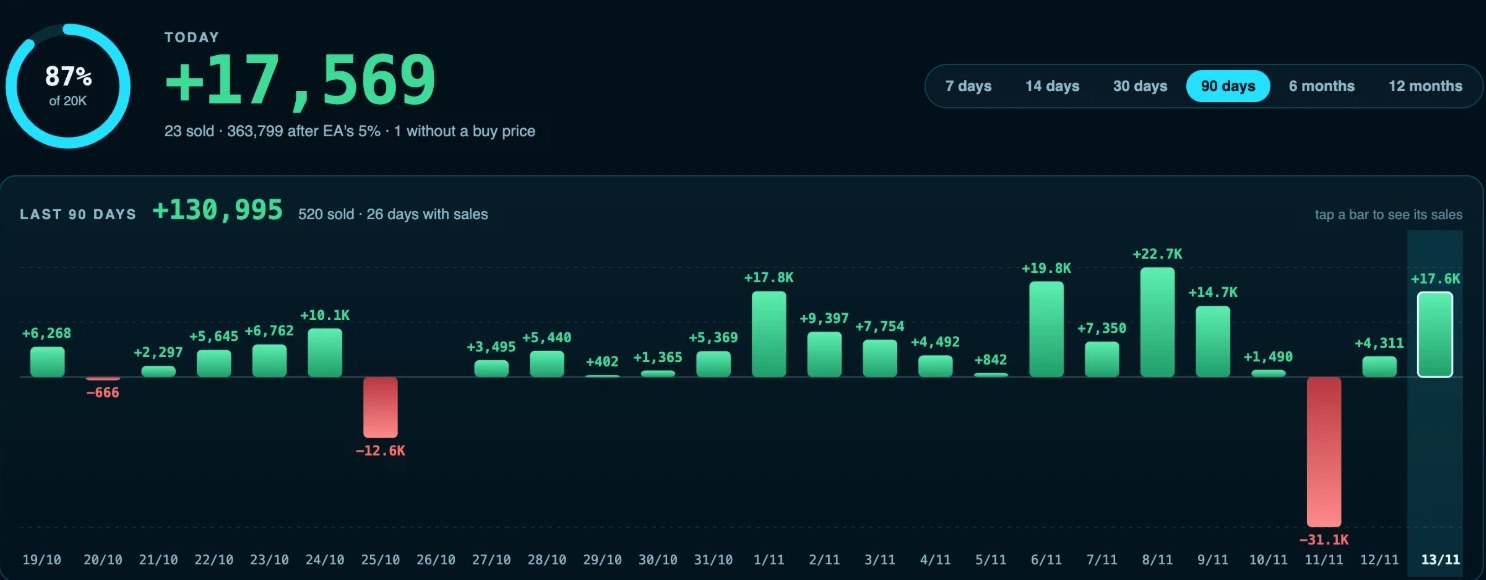
Every sale is counted, and you see your profit day by day
- The goal ring and today's number.
- A bar for every day: its profit on top and its date below.
- Tap any day to see its sales.
- Best day, worst day and the daily average.
The whole market on one page
and the final call is yours.
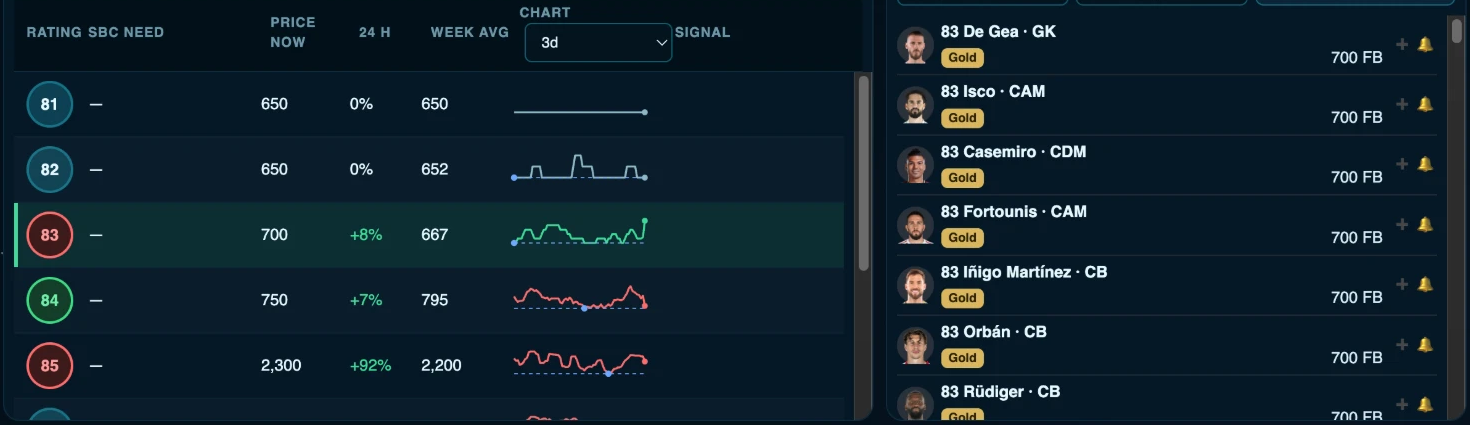
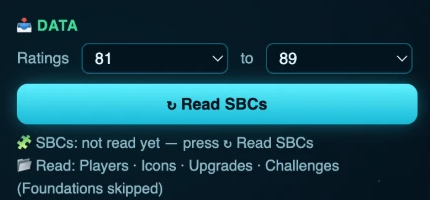
- Rating filter and Challenge demand: what's in demand right now.
- Price of every rating, and Players of every rating: send the cheapest to the sniper or set an alert on them .
- Over 100 tips for the market.
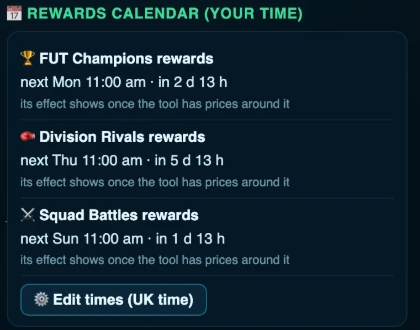
- Rewards calendar and New content.
- Your profit: today and the last 7 days.

Tools
Things that save you time and coins.
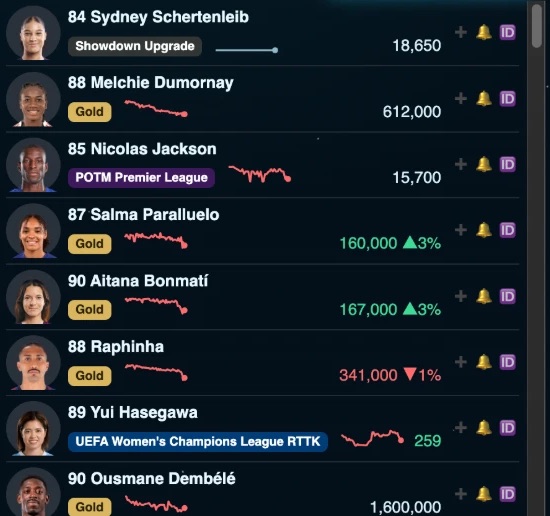
Your lists, every player with their price
- Left side: the most popular players, each with their price and a mini chart of its moves. Tap to add them to your list, or to set a price alert.
- Right side: your own lists, up to 7 lists with names you choose, and up to 50 players in each. The sniper snipes the list you have open.
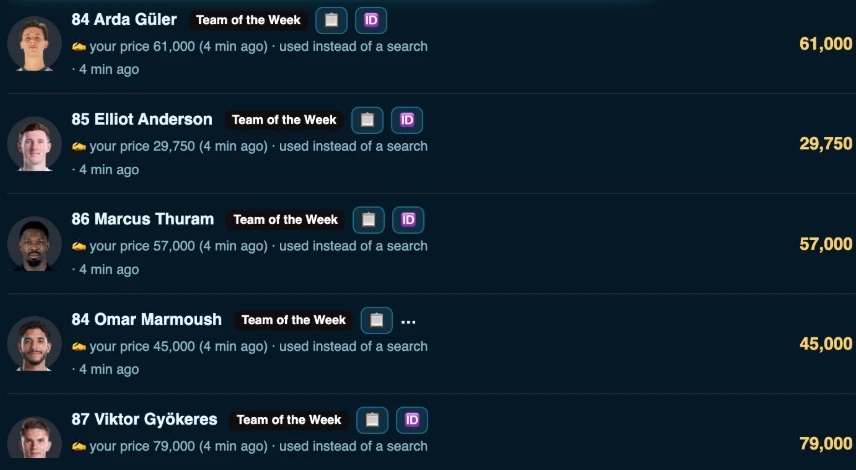
- For every player: their price, and you can set your own with − and +.
- Refresh confirms the price from the cheapest real Buy Now on EA.
Every set in front of you, and the cheapest way to finish it
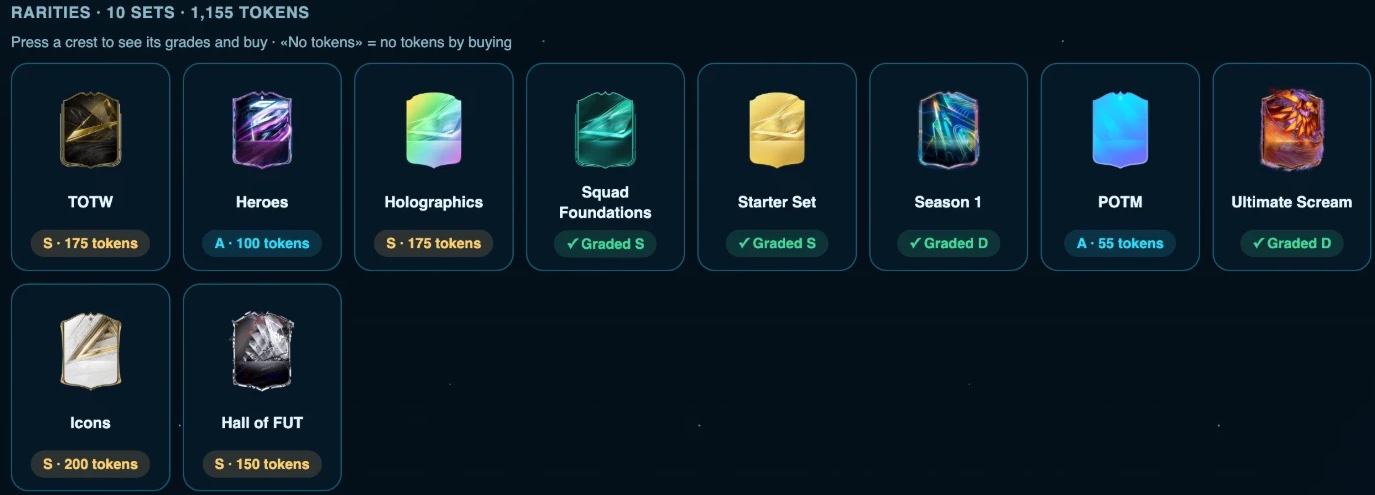
- All sets: 198 sets, each with its club or league badge or rarity card design, and under it the top tier and its token count.
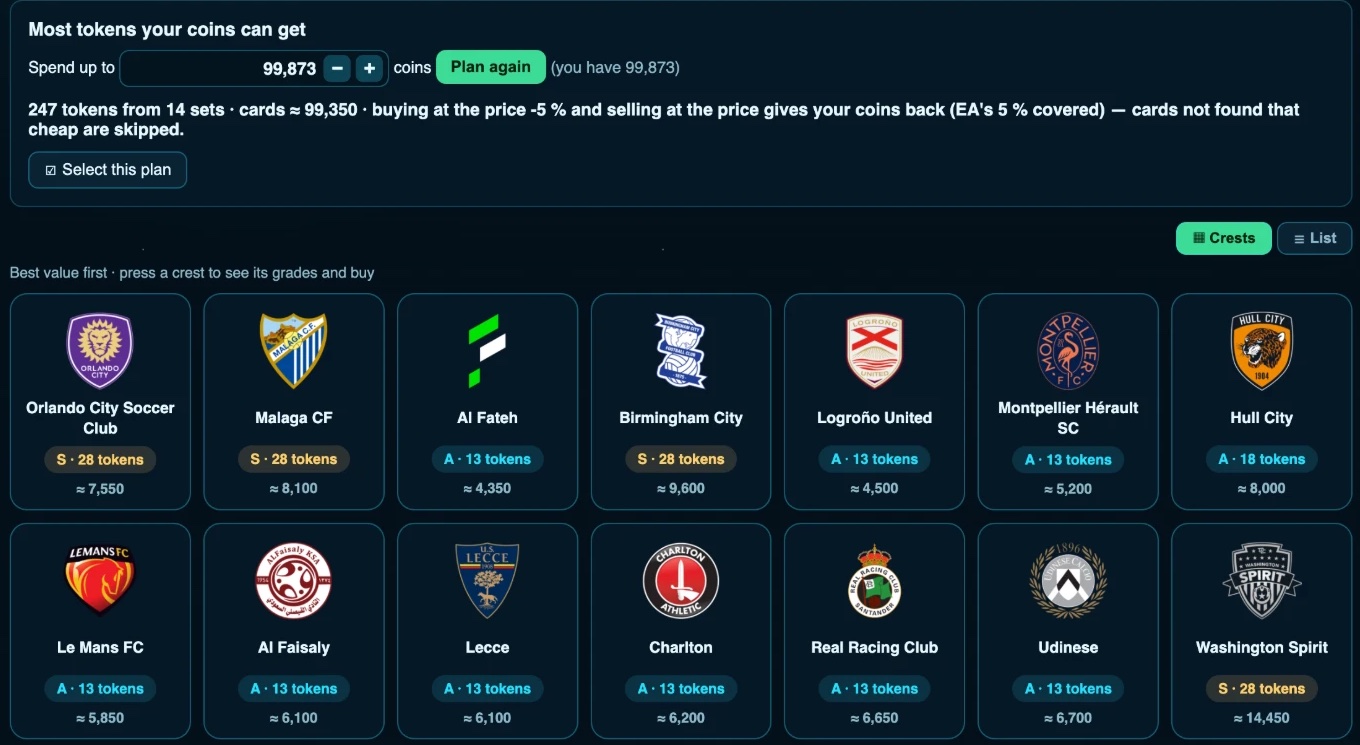
- Best value: type the coins you have, and the tool tells you the most tokens you can get with them and from which sets. Example: with 99,873 coins you get 247 tokens from 14 sets.
- My club: reads your club first, so you never buy a card you already own.
- Buy & list: pick the set and tier, and the tool buys what's missing and relists it at a price that gets your coins back.
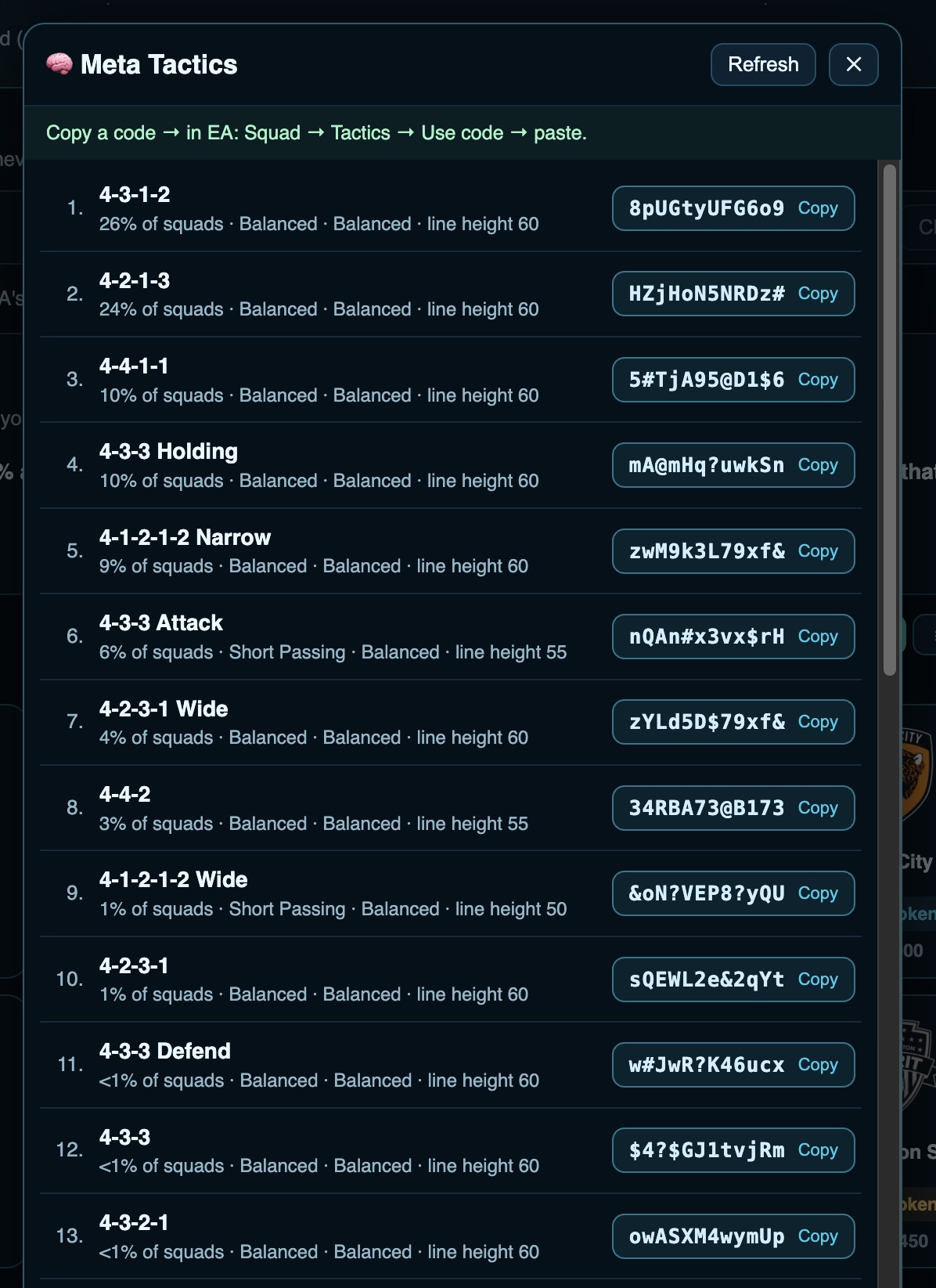
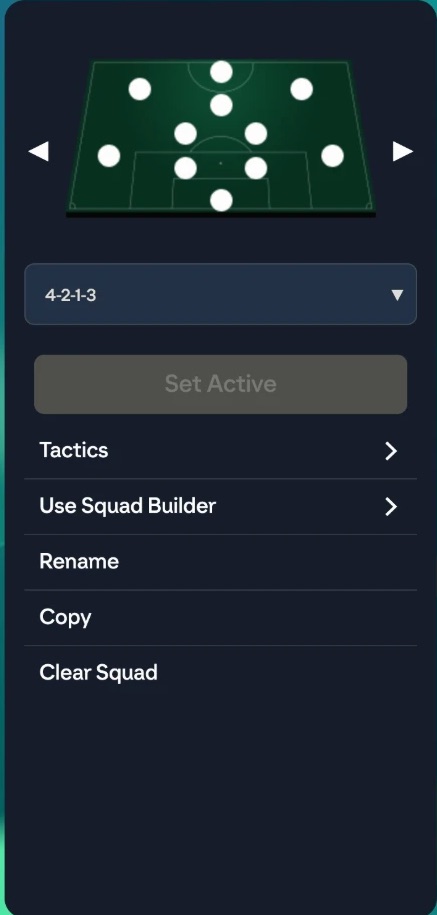
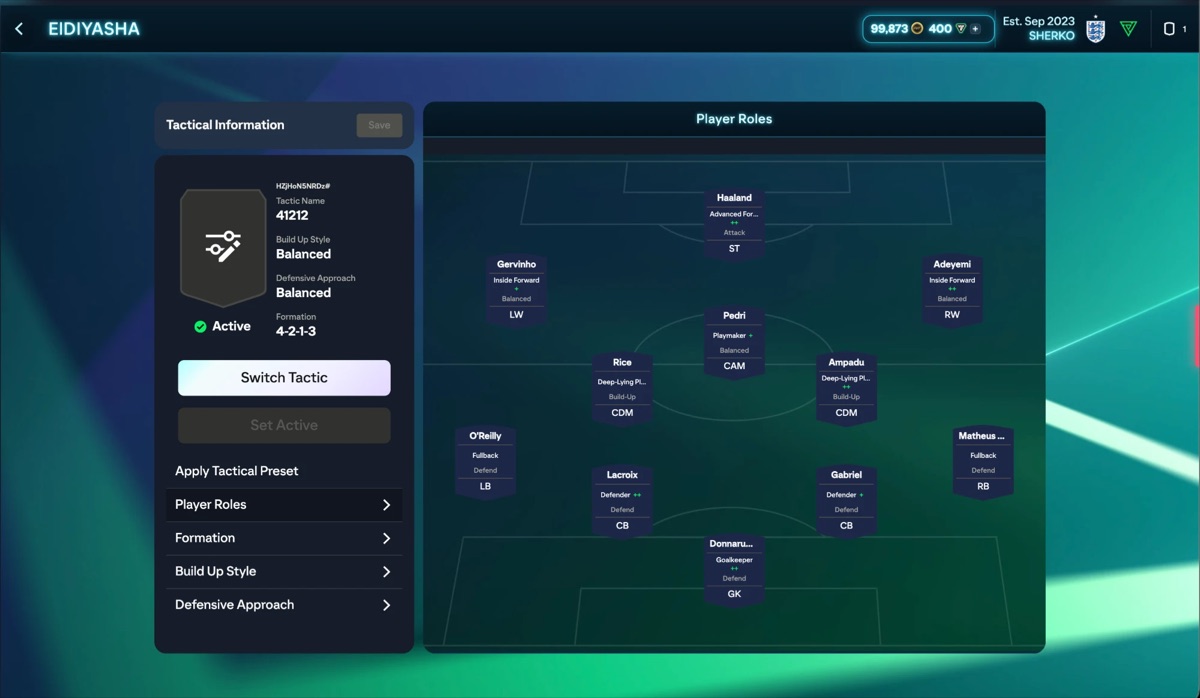
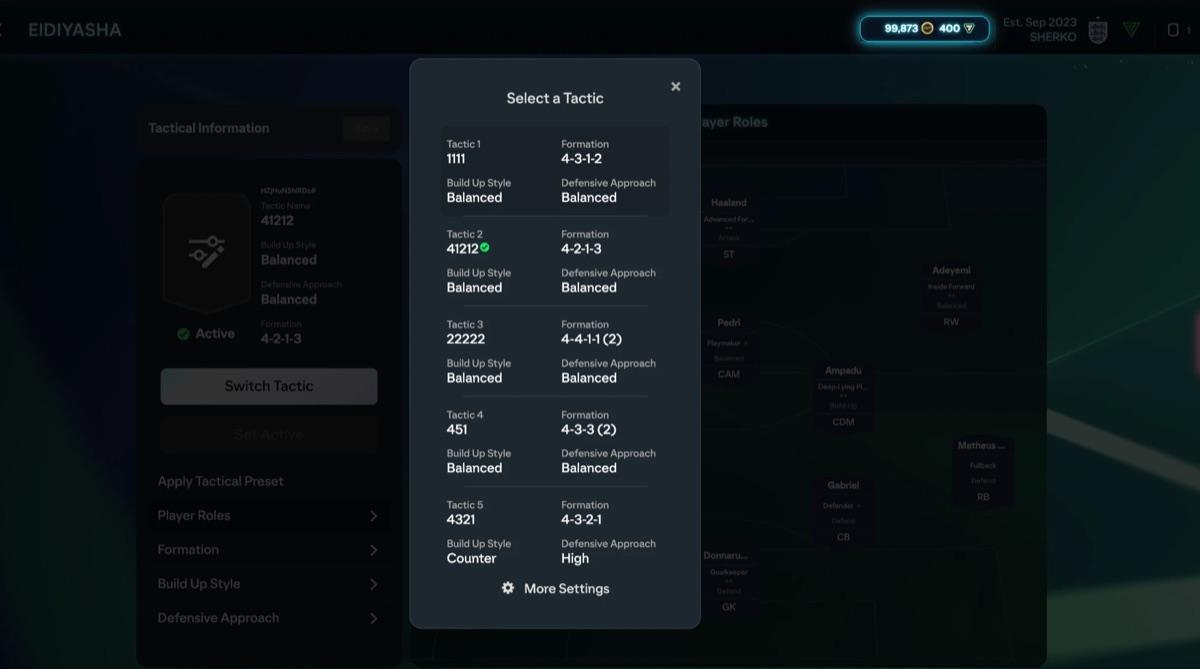
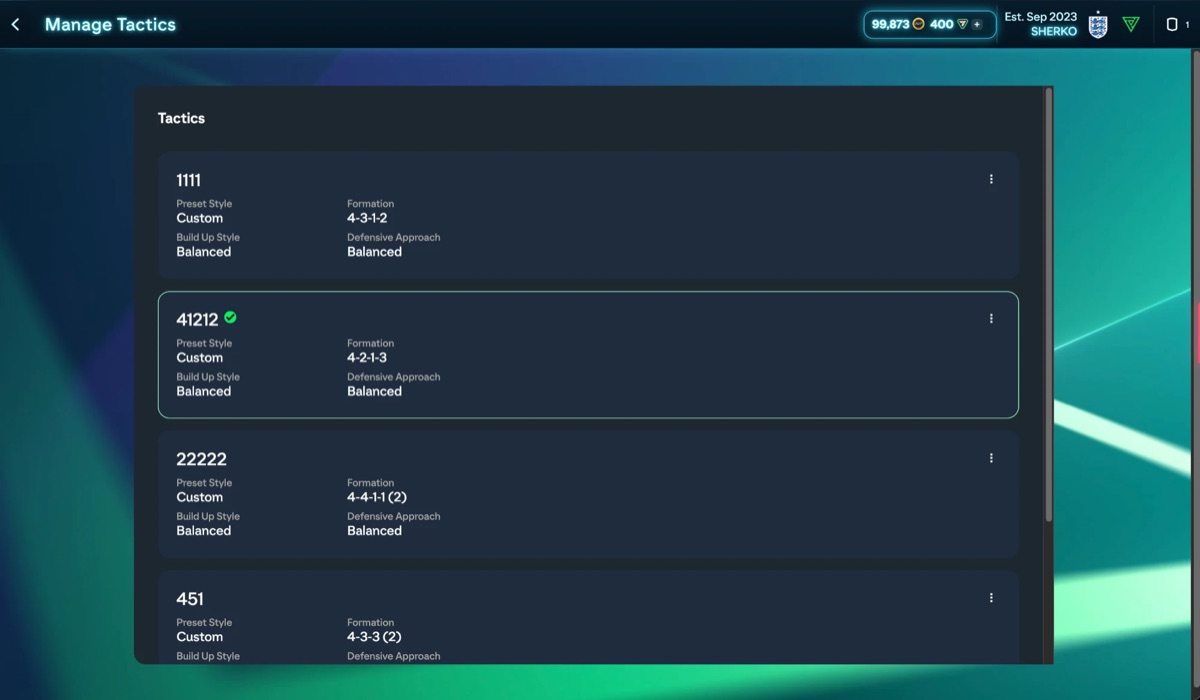
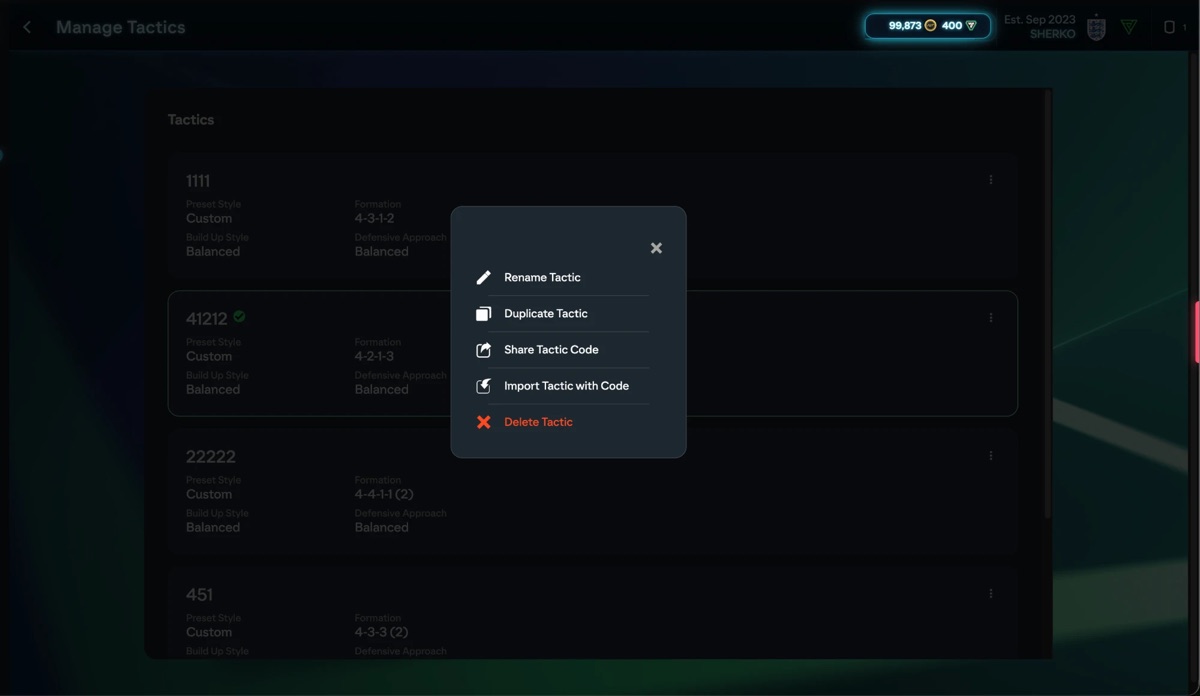
The strongest tactic for every formation, one tap to copy
- For every formation: the tactic players use most in their real squads, with the share of people running it and the play style.
- One-tap copy: tap the code and it's copied.
- Always fresh: the list updates itself, and the Refresh button pulls the latest version.
Account
Your account on all your devices, and support close by.
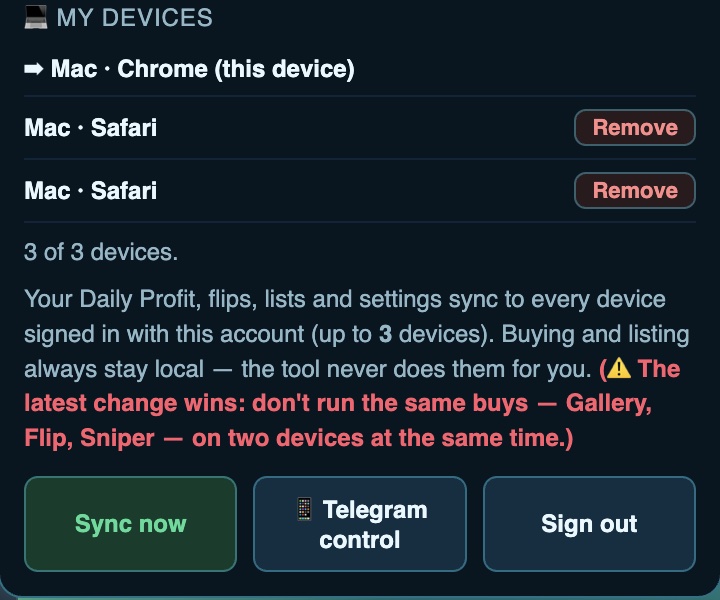
One account for all your devices
- Everything syncs on its own: daily profit, flips, lists and settings, on every device signed in to the same account, up to the number of devices in your plan.
- My devices: see every device signed in to your account, and remove any of them with one tap on Remove.
- Sync now: pulls the latest copy of your data right away.
- Telegram control: a remote for the sniper on your phone. Start or stop it while you're out.
- A small warning: don't run the same buying on two devices at once.
Support is one tap away
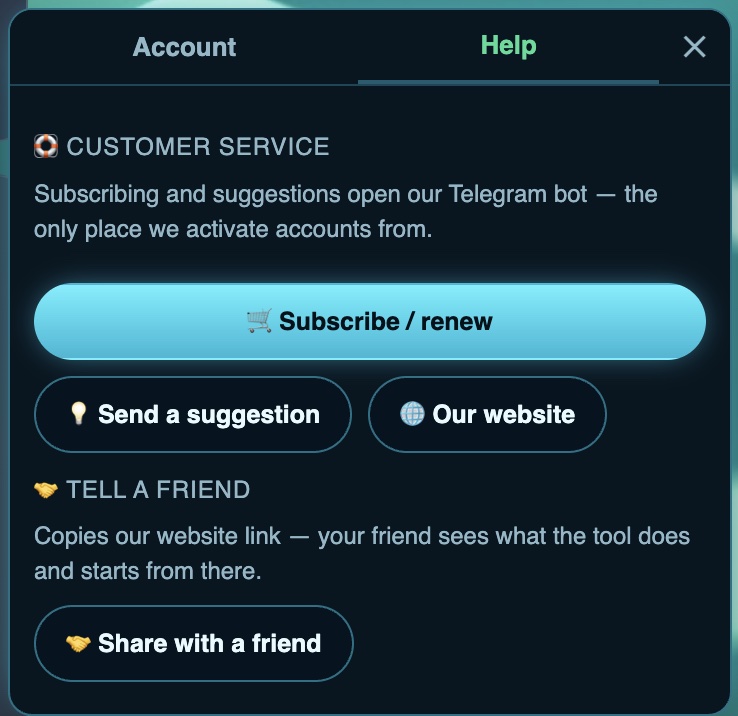
- Subscribe or renew: one tap opens our Telegram bot, the only place we activate accounts from.
- Send an idea: Got an idea for a new feature? Send it straight to the bot.
- Our website: a button that opens this page.
- Share with a friend: a button that copies the site link, so you send it to a friend and they start here.
Try it yourself for free
Start the trial from the bot, and it walks you through step by step until the tool is running for you.